

Specialized DCS Appliance Repair in San Francisco
Mon–Sat: 8:00 AM – 7:00 PM
When a DCS oven bakes too hot, too cool or unevenly, the dial and the cavity disagree. Here is how to confirm it and what usually causes the gap.
Cookies burn on the bottom while the top stays pale. A roast takes much longer than the recipe says. A cake rises, then collapses. These are the stories we hear when a wall oven’s real temperature no longer matches what the display shows. The fix is not always a repair. Sometimes it is a matter of how the oven is being used, and sometimes it is a part that has drifted.
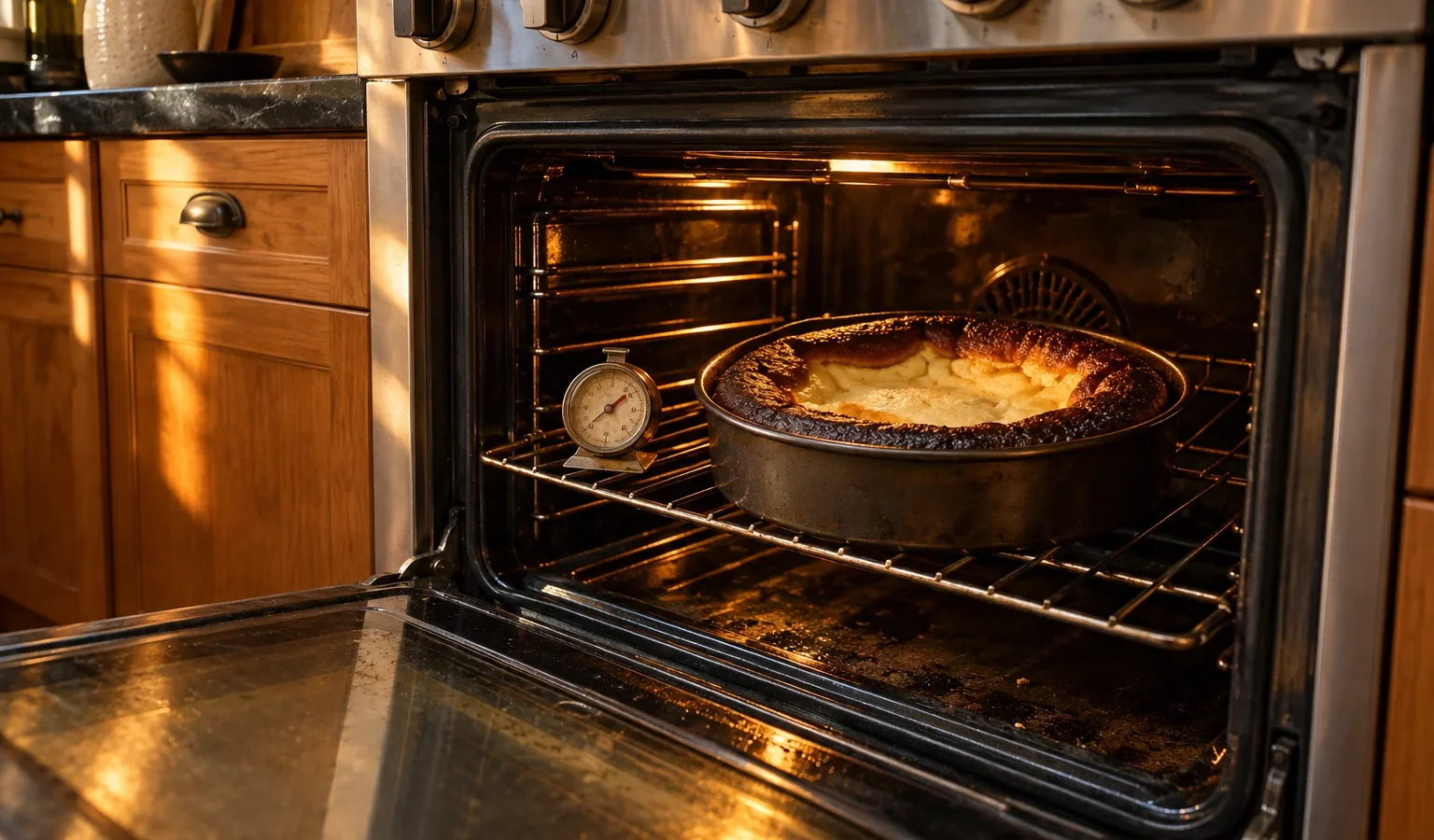
A freestanding oven thermometer, placed in the middle of the center rack, gives you something to compare. Preheat, wait long enough for the oven to settle, and read it. Keep in mind that the temperature in an oven swings as elements cycle on and off, so take a few readings over time rather than one. Write down what you set and what the thermometer reports. If the gap is steady and large, the oven needs attention. If it swings widely, the sensor or control may be involved.
A steady offset suggests the temperature sensor has drifted, or the control is reading it incorrectly. Some ovens allow an adjustment for this offset in their settings. Check whether someone changed it, or whether it was altered after a power interruption. Do not use the adjustment to chase a failing part, but it can be a helpful short-term measure while you wait for a visit.
Uneven heat points to an element that is only partly working, a convection fan that is not moving air, or racks and pans blocking the flow. Look at the elements when the oven is on and note any dark patches. A convection fan that has stopped can leave the oven with hot and cold pockets.
If the temperature drifts a long way above and below the setpoint, the sensor, the relay or the door gasket may be involved. A gasket that is torn or an oven door that does not close lets heat escape and makes the controls work harder. A door that sags can cause the same effect.
Some ovens stop working when they get too hot. In the WODV230 generation, code A1 signals that the oven has overheated, with functions suspended and five beeps. A technical fault with a letter F and number appears as described on the F-number page. If either appears, write it down and tell us.
Do not reach into the cavity to bend or move the sensor probe, do not open the back to look at wiring, and do not try to adjust any internal part. Never run a self-clean cycle to try to reset things; heavy soil during self-clean is one of the ways a hot oven fails. If you smell burning or see smoke from the vent, turn the oven off and cut power at the breaker.
Ovens control temperature by switching elements on and off in response to a sensor. If the reading is off, the oven will happily heat to the wrong temperature and report that all is well. The display does not know it has been fooled. Calibration, wiring and the sensor itself are all part of the check, which is why a measurement with the right tools is part of the visit.
Ovens that share a cabinet column with a microwave or warming drawer are affected by trapped heat. Wide, flat pans block airflow, and a very full oven cools the elements unevenly. A recently moved oven might be slightly out of level, which matters for liquids and batters. In professional-style ovens such as the DCS WOS-127 or DCS WODV30, the model label helps us know which control system applies.
Before the visit, jot down what you set, what the thermometer showed, which rack you used and how long the oven had been on. A few lines like these let the technician see whether the fault is steady or comes and goes, and they speed up the diagnosis considerably.
If your thermometer test shows a real, repeatable difference, book a visit with our DCS wall oven repair service. We measure the cavity, check the sensor and the control, and explain what we find. You receive a written estimate, and nothing is repaired without your approval. Read about the range on the DCS wall ovens page. If the oven does not heat at all, the post about a DCS oven not heating addresses that fault.
Ovens cycle around the setpoint, so small swings are expected. A repeatable, noticeable gap between your thermometer and the dial is what suggests a problem.
Some ovens offer a user setting for it. If you adjust it, make a note of the original value so that a technician can see what changed.
Possible causes include an uneven element, a thick pan close to the lower heat, foil on the oven floor or a failing sensor. Try moving the pan up and removing foil before booking.
Yes. A torn or loose gasket lets heat out and makes the oven run longer, which can distort temperature readings and cooking.
No. It heats the cavity to a very high level and can stress parts. It is not a repair step and can trigger a door lock or overheat fault.
Share a few details and we’ll confirm an appointment. Prefer to talk? Call us and we’ll help right away.