DCS Wall Ovens
Overview of DCS single and double wall ovens in the Bay Area: model lineup, the A1, A2, A3 and F codes, heating…

Specialized DCS Appliance Repair in San Francisco
Mon–Sat: 8:00 AM – 7:00 PM
Single and double wall ovens, from latch faults to overheating, with the cabinet cut-out checked too.
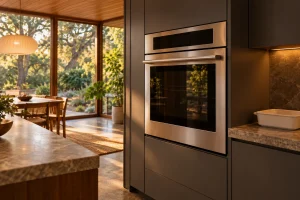
A wall oven sits at eye level in a cabinet tower, which means every fault is noticeable: the oven that never reaches temperature, the door that will not unlock after a clean, the beep from the display. We repair DCS single and double wall ovens in San Francisco and across the Bay Area, in apartments with a narrow tower and in larger houses with a full bank of professional ovens.
A wall oven that stays cold may have a failed bake or broil element, a faulty temperature sensor, a failed relay on the control, or a safety cutout that has opened. We test each in turn. See our article on an oven not heating for symptoms worth noting beforehand.
Food burning outside while raw within, or an oven that seems cooler than its setting, usually points to a sensor that has drifted, a worn door gasket or a calibration problem. Our guide to an oven temperature that is off explains the checks.
Some DCS wall ovens suspend their functions and beep when they overheat. That is the A1 code on the WODV230, covered in more detail on the A1 page. Overheating is a protective reaction, so the cause behind it, such as a blocked vent, a failed cooling fan or a sensor error, has to be found, and simply waiting for the oven to cool and trying again only hides it. We ask when the beeps began, what was cooking and whether the cabinet around the oven felt unusually warm.
Self-clean locks the door with a motorized latch. If the door cannot lock when the cycle starts, the display shows A2. If it will not unlock after the cycle ends, it shows A3 on the same model. See the pages for A2 and A3. A latch can fail from heat and use, and a door that is out of alignment can contribute.
An F followed by a number is a technical fault. On S5 models it appears in the clock display. The individual numbers are not defined in the references we hold, so the F-code page explains what we do with them: record the exact number and diagnose from the symptoms. Our article on a wall oven fault code is the place to start.
A convection fan that is noisy or silent, a light that will not come on, a touch panel that ignores your finger. We handle these as well, and they sometimes share a root cause with a heating fault, such as a failed control.
A wall oven depends on its cabinet. The cut-out needs the right width, depth and clearance so that the cooling fan can move air around the oven and out of the front. If a cabinet maker or an earlier remodel has narrowed the opening, blocked the vent gap above the oven or placed a shelf too close, heat builds up and the oven can trip its limit. We measure what the cabinet offers when symptoms point to overheating. Double ovens stacked in one tower add heat to the upper cavity, so the problem may appear only when both are used for a big meal.
The supply matters too. A hardwired oven that shares a circuit with another large load, or a connection loosened by years of heating and cooling, can cause intermittent failures. Our job is to find which, not to swap parts until the problem disappears.
No part is replaced without your approval.
Do not open the panels, loosen screws on the housing or test the wiring yourself.
Turn the oven off at the breaker if you see smoke that does not clear, smell burning wiring, notice sparks, or find that the door glass has cracked or the exterior is too hot to touch. If your oven is a gas model and you smell gas, leave the house, switch nothing, and call the gas utility or 911 from outside. A locked door after self-clean is not a danger by itself: keep children and pets clear and let it cool.
The label is usually on the oven frame, visible when the door is open. Our DCS wall oven guide describes the lineup. Models include the WODV230, the WODV30 and the WODU30, all in the Professional (V/U) series. Older Professional units such as the WO-127SS, WOS-127 and WOT-127 are no longer sold new, but we still work on them. The right model gets the right latch, sensor and element to the first visit.
If your oven is part of a full range with cooktop above, our range repair page is the better fit.
Request a visit, tell us what the oven does, and read us the model if you can. We arrive in the agreed window, test before opening anything and give a written estimate for the repair. You decide whether we proceed.
On the WODV230, that is the overheat response behind code A1. Switch off, let it cool, check the vents, and book a visit if it returns.
No. Forcing a motorized latch can break it. Allow the oven to cool, then try again, and note A3 if it appears.
Yes. Each cavity has its own elements and sensors, though they may share a control, so we test both.
It can. Narrow openings and blocked vent gaps trap heat, and we check them when we see overheating.
No, and we do not guess. We record the number and diagnose through testing.
Overview of DCS single and double wall ovens in the Bay Area: model lineup, the A1, A2, A3 and F codes, heating…
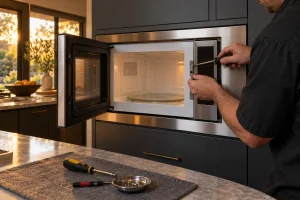
DCS built-in and convection microwave ovens that run without heating, show sensor messages or will not latch, diagnosed safely from the opening…
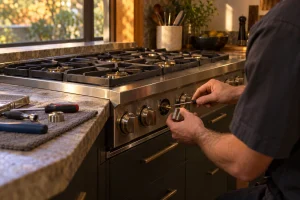
A burner that will not spark, clicks nonstop or burns with a ragged flame deserves a proper look. We repair DCS gas…
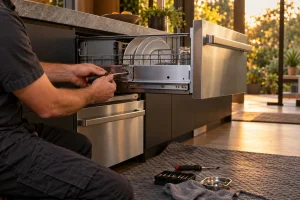
Drain, leak, lid and fill faults on DCS DishDrawer units and the 24-inch dishwasher, diagnosed before repair, with a written estimate for…
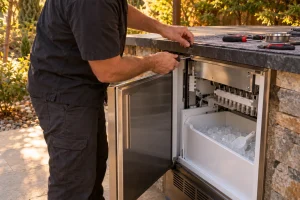
Repair for DCS outdoor ice makers in San Francisco and the Bay Area: no ice, slow ice, flashing lights and water line…
Share a few details and we’ll confirm an appointment. Prefer to talk? Call us and we’ll help right away.