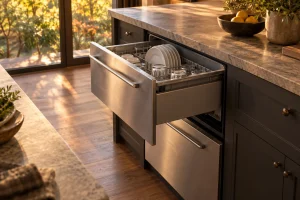
DCS Dishwasher Drawers
Guide to DCS DishDrawer dishwashers in the Bay Area: single and double drawer models, F and U codes, leaks, draining trouble and…

Specialized DCS Appliance Repair in San Francisco
Mon–Sat: 8:00 AM – 7:00 PM
Drawer not draining, leaking, beeping or showing a code? We diagnose DCS DishDrawer units and the 24-inch dishwasher, then give you a written estimate.
A DishDrawer is built differently from a conventional dishwasher: two stacked drawers, each with its own wash cycle, its own fill and drain, and its own lid and latch circuit. That design is why a fault can show up in one drawer while the other keeps running. It also means the symptom you notice, such as standing water, a drawer that will not start or a steady beeping, can point to several different parts. We diagnose DCS DishDrawer units and the older 24-inch DCS dishwasher in San Francisco and around the Bay Area, and we start with the symptom before any part is named.
A drawer that finishes a cycle with a pool in the bottom is the most common call. The cause may be a blocked filter or drain screen, a kinked or crushed drain hose in the cabinet, a drain pump that has stopped moving water, or a household drain that is backed up. Our walkthrough on a dishwasher not draining covers the checks in order.
A puddle in the cabinet below, or a flood warning on the display, calls for a stop, not a retry. The leak may come from a door seal, a fill connection, the drain connection or a cracked part inside the drawer. Read the guide to a leaking dishwasher before you run another cycle.
Poor cleaning is often a water-delivery or spray problem rather than a detergent problem: a clogged filter, a spray arm that is not turning freely, weak filling, or a heating fault that leaves the wash water cooler than it should be. Our article on a dishwasher not cleaning dishes explains how to tell these apart.
Repeated tones usually mean the control is reporting something it does not like, most often a drawer that is not fully closed, a lid sensor reading, or a stored fault. The page on DishDrawer beeping goes through what the tones can mean. When one drawer works and the other does not, the working drawer is useful information for the technician, so tell us which is which.
The verified meanings for the DD24 DishDrawer are short, and we treat them as a starting point rather than a verdict. F1 is the flood switch being activated. F2 is a motor problem. F3 is a failed temperature sensor, and F4 is a faulty temperature sensor or heating element. F5, F6 and F7 are lid faults. F8 is an electrical problem and F9 is an electronics malfunction. U1 is a fill fault, and U4 means a fault in the other drawer is preventing use of the drawer you are looking at.
Each has its own entry: F1, F2, F3, F4, F5, F6, F7, F8, F9, U1 and U4. Write down the exact code and which drawer showed it. The U4 case is worth remembering: the drawer you are standing at may be perfectly healthy while the other one holds the real fault.
DishDrawers sit in a cabinet cut-out, and the installation is part of the fault tree. A drain hose pinched behind the unit or a supply line bent when the drawer was slid back in will mimic a failed pump or a failed valve. We look at the hose routing, the drain connection and whether the drain is shared with a garbage disposal whose knockout plug was never removed or whose line is clogged.
Water supply matters too. A partly closed supply valve under the sink gives slow filling and can set off a fill fault. A drawer that sags on its rails can also fail to seat the lid and produce lid codes with nothing electrically wrong.
The older 24-inch DCS dishwasher has a conventional door, so its door latch and door switch take the place of the drawer lid circuit.
That is the end of the owner’s part. Do not remove the lower panel, pull the drawer out of the cabinet, or probe any wiring. Water and electricity share the same space in this appliance.
Stop and turn the dishwasher off at the breaker if there is water on the floor or in the cabinet, a burning smell, a buzzing or humming that does not stop, or a code that comes back immediately after a reset. A drawer that fills over and over can spill into the cabinet, so do not leave it running unattended while it misbehaves.
DishDrawer generations differ in how the controls, lids and drain systems are arranged, and the verified code meanings above are listed for the DD24 DishDrawer. A part that suits one generation can be wrong for another. On a DishDrawer the label is usually found along the inside edge of the drawer frame or on the side of the tub when the drawer is pulled open, and on the older dishwasher it is usually on the door edge or inside the tub. Photograph it and keep it with the code you wrote down.
The models we see most on this site are the DD24DCHTX9 and the DD24DCTB9, both current DD24 DishDrawer units, the DS224 with its own DishDrawer series designation, and the 24-inch DW-24SS dishwasher.
You send the model number, the code and a short description of what happens. We confirm the appointment and arrive in the window we agreed. The technician looks at the installation first, then checks the symptom in the drawer itself, and finds the cause before anything is replaced. You get a written estimate, and nothing is repaired until you approve it. If the repair needs a part that must be ordered, we tell you before you decide.
For a wider view of the product line, read the guide to DCS dishwasher drawers. If your concern is more general, the page of common problems lists symptoms across the whole kitchen.
Usually not. Each drawer has its own circuits, so a single drawer can fail on its own. The exception is the U4 code, where a fault in the other drawer blocks the one you are using, so the technician checks both.
No. F1 means the flood switch was activated. Turn the unit off at the breaker, dry any water you can see and book a diagnosis before the next cycle.
Beeping can come from a drawer that is not seating fully, a lid sensor reading, or a stored fault. Check that nothing blocks the drawer, write down any code and let us know the model.
Yes. The two are built differently, so the checks and the parts differ. The model label tells us which one you have, and we ask for it when you request a visit.
No. We diagnose first, give you a written estimate, and repair only what you approve.
Guide to DCS DishDrawer dishwashers in the Bay Area: single and double drawer models, F and U codes, leaks, draining trouble and…
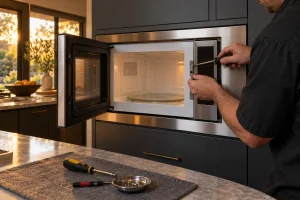
DCS built-in and convection microwave ovens that run without heating, show sensor messages or will not latch, diagnosed safely from the opening…
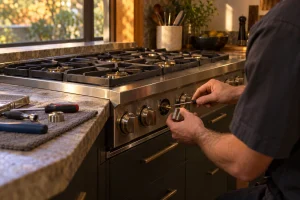
A burner that will not spark, clicks nonstop or burns with a ragged flame deserves a proper look. We repair DCS gas…
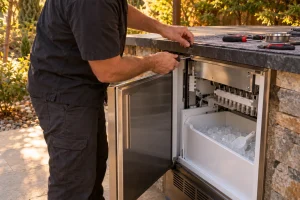
Repair for DCS outdoor ice makers in San Francisco and the Bay Area: no ice, slow ice, flashing lights and water line…
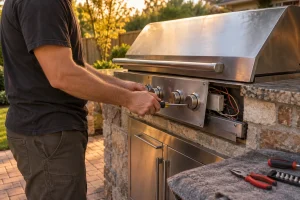
Diagnosis and repair for DCS built-in and freestanding gas grills across San Francisco and the Bay Area, from ignition faults to uneven…
Share a few details and we’ll confirm an appointment. Prefer to talk? Call us and we’ll help right away.