DCS DishDrawer and Dishwasher Repair in the Bay Area
Drain, leak, lid and fill faults on DCS DishDrawer units and the 24-inch dishwasher, diagnosed before repair, with a written estimate for…

Specialized DCS Appliance Repair in San Francisco
Mon–Sat: 8:00 AM – 7:00 PM
Leaks, beeps and drawers that will not finish a cycle: what to look at first on a DCS DishDrawer.
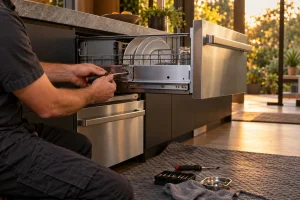
A DishDrawer is a dishwasher that comes out like a kitchen drawer, so a fault tends to show up as a door-like problem: a drawer that will not shut properly, a leak from the front, water left in the bottom, or a beep and a letter on the display. Below is what we see on DCS dishwasher drawers in San Francisco and Bay Area kitchens, and what you can safely do before you call. Our service page is DCS dishwasher repair.
Our scope covers single and double drawer DishDrawer units and the legacy 24-inch dishwasher. The lineup on file includes the DD24DCHTX9 and DD24DCTB9, both 24-inch DishDrawer DD24 models that are still current. The DS224 is a DishDrawer in its own series group, and the DW-24SS is a 24-inch dishwasher. The DD prefix in a DishDrawer model stands for the drawer format, and the 24 in the middle gives the nominal width in inches.
On a drawer-style dishwasher the data plate is usually on the edge of the drawer front or inside the drawer frame, visible when the drawer is pulled fully open. On a two-drawer unit there may be a label for each. Photograph the plate with your phone and keep it handy. The article on finding your DCS model number covers every appliance family.
For the DCS DD24 DishDrawer these are the code meanings:
Write down the code exactly as shown. Push the drawer fully closed and make sure no dish, handle or utensil sticks up and blocks the lid. Open the drawer and clean the filter you can reach by hand, and clear any food from the screen over the drain. Check that the water supply valve under the sink is open, and that the breaker is on. After that, one controlled power reset at the breaker is fine.
If you see water at the floor or on the base, as with F1, turn the supply valve off and the breaker off, then stop using the unit. Do not remove the kickplate, open the control area or disconnect hoses yourself.
Drawer units rely on a water line, a drain connection and a tight fit inside the cabinet. A kinked drain, a drain tied into a garbage disposal with the knockout plug still in place, or a cabinet opening that leaves the drawer off-square each produce symptoms that look like a failed part. We check the surroundings as part of the visit.
Have the model, the code and any steps you tried ready, then use our contact page. We diagnose before repair, send a written estimate, and do nothing without your approval. The DCS DD24DCHTX9 repair page covers that model.
F1 means the flood switch has activated. Turn off the water supply valve and the breaker, stop using the drawer and request a diagnosis.
U4 means there is a fault in the other drawer that is preventing use of this one. Look for a code on the other drawer first, and write it down for the technician.
Yes, the filter you can lift out by hand and the drain screen are fair game for cleaning. Leave panels, hoses and the pump area to a technician.
Both are current models. The DS224 and DW-24SS are also covered; check the label for their current status.
Check that the drawer is fully closed and the supply valve is open, then note when the beeping starts in the cycle. Call if it continues.
Drain, leak, lid and fill faults on DCS DishDrawer units and the 24-inch dishwasher, diagnosed before repair, with a written estimate for…
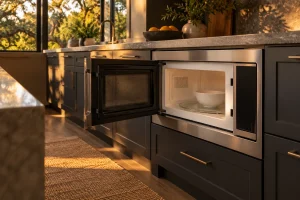
Guide to DCS built-in and convection microwaves in the Bay Area: the CMO24SS and CMOH-30SS, no-heat and sensor complaints, safe checks and…
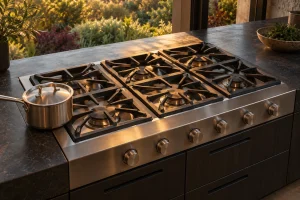
Guide to DCS gas cooktops and rangetops in the Bay Area: the CT, CDU, CDV2 and CP models, common burner complaints, safe…
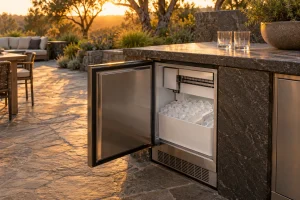
DCS outdoor ice makers in the RF15I family: how left- and right-hinge versions differ, what flashing indicators mean and which checks are…
Built-in and freestanding DCS grills in Series 7 and Series 9: how to read the lineup, where the model label sits, and…
Share a few details and we’ll confirm an appointment. Prefer to talk? Call us and we’ll help right away.