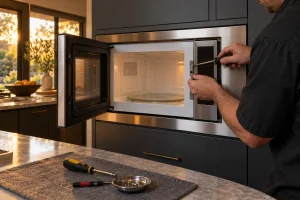
DCS Built-In Microwave Repair
DCS built-in and convection microwave ovens that run without heating, show sensor messages or will not latch, diagnosed safely from the opening…

Specialized DCS Appliance Repair in San Francisco
Mon–Sat: 8:00 AM – 7:00 PM
A built-in DCS microwave that hums but does not warm food needs a careful look; here is what to check and what to leave alone.
A built-in microwave lives in cabinetry beside the oven or above it, so when it stops heating or the display acts oddly, there is no sliding it out for a quick look. This overview helps DCS microwave owners around San Francisco and the Bay Area sort out what is happening and what is safe to check. For the service itself, see DCS microwave repair.
Our scope includes built-in microwave and convection microwave ovens. The CMO24SS is listed as a convection microwave and oven, which means it can cook with hot air as well as microwave energy, and the CMOH-30SS is listed as a microwave. Both use the CMO prefix that marks DCS microwave units.
Typically the plate sits along the edge of the cavity opening or on the inside of the door frame, where it shows when the door is open. Built-in units trimmed into a cabinet may hide a second label at the back, which we do not expect you to reach. Photograph what you can see and send it with your request; our model number guide adds ideas.
We have no verified fault codes for DCS microwaves. If the display shows something, write down exactly what it says, including any letters, and tell us what you were cooking and in which mode.
See that the unit has power: look at the breaker and the display. Close the door firmly and make sure nothing, such as a plate edge or a packaging corner, holds it open. Wipe the door seal area and the cavity with a damp cloth once the unit has cooled. Clean or replace the grease filter if the microwave has one that comes out by hand. Run a controlled power reset at the breaker once.
Stop using the microwave if the door is bent, will not close, or if you see arcing, smell burning or notice a damaged seal. Never run it empty to test it, and do not remove the outer case, reach near the high-voltage parts, or defeat a door switch.
Trim kits, tight cabinet openings and vents blocked by stored items can make a built-in run hot. A unit built in above a hot oven shares more heat than one at counter height. The visit includes a look at ventilation clearance, not just the microwave.
Gather the model, the symptom and any display text, then submit a request on the contact page. We diagnose before repair, give a written estimate and wait for your approval. Model detail lives at DCS CMO24SS repair and DCS CMOH-30SS repair.
It is better to stop using it and request a diagnosis. Heating is handled by parts that should be inspected by a technician, not tested by owners.
The CMO24SS is a convection microwave and oven, while the CMOH-30SS is a microwave. Beyond that, we need the unit in front of us.
Steam in the cavity or on the sensor can confuse it. Wipe the cavity dry, let the unit cool, and try again. If the error returns, book a diagnosis.
No. Running a microwave with nothing inside can damage it. Test only with the normal load and only if the door closes and seals properly.
Stop the microwave, remove any metal or foil, and check for burnt residue. If sparks continue with only a microwave-safe dish, stop using it and book a visit.
DCS built-in and convection microwave ovens that run without heating, show sensor messages or will not latch, diagnosed safely from the opening…
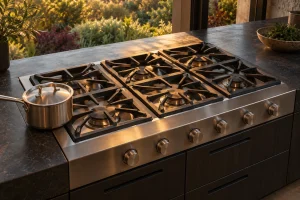
Guide to DCS gas cooktops and rangetops in the Bay Area: the CT, CDU, CDV2 and CP models, common burner complaints, safe…
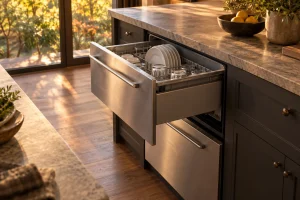
Guide to DCS DishDrawer dishwashers in the Bay Area: single and double drawer models, F and U codes, leaks, draining trouble and…
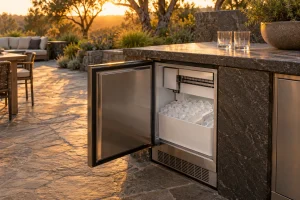
DCS outdoor ice makers in the RF15I family: how left- and right-hinge versions differ, what flashing indicators mean and which checks are…
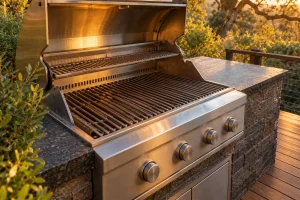
Built-in and freestanding DCS grills in Series 7 and Series 9: how to read the lineup, where the model label sits, and…
Share a few details and we’ll confirm an appointment. Prefer to talk? Call us and we’ll help right away.