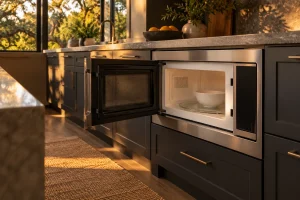
DCS Built-In Microwaves
Guide to DCS built-in and convection microwaves in the Bay Area: the CMO24SS and CMOH-30SS, no-heat and sensor complaints, safe checks and…

Specialized DCS Appliance Repair in San Francisco
Mon–Sat: 8:00 AM – 7:00 PM
Microwave running but food staying cold, or a door that will not latch? We diagnose DCS built-in and convection units and quote in writing before work.
A built-in microwave sits in a wall or cabinet opening, often right next to a wall oven, and it fails in ways that can be hard to describe: the light comes on but nothing warms, the turntable spins and the display flickers, or the door will not latch. We repair DCS built-in microwave and convection microwave ovens in San Francisco and across the Bay Area. The inside of a microwave carries stored electrical energy even when it is unplugged, which is why we ask owners to stay outside the appliance and let a technician do the diagnosis.
The light is on, the fan hums, the turntable moves, and the food stays cold. That pattern says the controls are alive and the part that makes the heating energy is not doing its job. The cause may be in the high-voltage section, in the door switches that confirm the door is closed, or in a protective device that has opened. Our article on a microwave that runs but is not heating explains why the diagnosis cannot be made from the outside.
Sensor cooking relies on the oven reading steam and humidity or temperature, then adjusting the cycle. If the display reports a sensor problem, or the cycle stops mid-way, the sensor, its wiring or the control may be responsible, but so can a door that is not fully seating or a steamy opening that is blocked. See the article on a microwave sensor error for the details.
A door that will not latch, hangs loose or stays unlocked can stop the oven from starting. The latch hooks, the switches behind them and the hinge alignment all work together. A bent door, even slightly, can leave the switches unengaged.
A loud buzz, a crackle, flashes inside the cavity or a burnt smell are reasons to stop and unplug or switch off the circuit. Food residue, a damaged cavity cover or a failing high-voltage part can cause them, and none is safe to test by running the oven again.
On a convection microwave, the heating and fan side of the oven adds a second system. If the microwave works but the convection mode does not, or the reverse, the technician checks that mode separately, and that is one reason the model number and the mode you were using both matter.
A built-in microwave is installed in a cabinet cut-out or a trim kit, and its ventilation depends on that fit. If the opening is tight, hot air from the cavity and the electronics cannot leave, and the oven can shut off from heat protection while appearing to be defective. We check whether the vents on the oven are clear, whether anything is stored against it and whether it is placed above a wall oven that adds heat to the area.
The power supply matters as well. A microwave needs a dedicated circuit sized for the appliance, and an outlet that has worn, a shared circuit or a loose plug can cause resets and dropouts. In older San Francisco homes with shared kitchen circuits this is a real possibility. Many people also keep a microwave on the same circuit as a toaster or a coffee maker, and a tripped breaker mid-cycle looks like a broken oven.
The cabinet also carries a hazard for the owner: pulling a built-in unit out of its cut-out to look behind it risks the plug, the cord and your back. That is a job for the technician.
Do not remove the outer cover, touch anything behind the panel, or try to defeat a door switch. The high-voltage capacitor can hold a charge after the oven is switched off.
Stop and switch off the circuit if a door is damaged or will not close properly, there are sparks or arcing inside the cavity, you smell burning, the oven trips the breaker, or the unit gets unusually hot on the outside. Do not run it empty, and do not try to keep it going by holding the door shut. If you ever smell gas in the kitchen, leave, touch no switches and call the gas utility or 911 from outside.
Microwave and convection microwave builds differ in how the controls, switches and sensors are laid out. A replacement for one may not fit another, and the owner manual that matches your exact model is how we know the right procedure. The label is usually along the edge of the cavity opening, on the door frame, or on the side wall inside once the door is open.
The two models are the CMO24SS, a convection microwave oven, and the CMOH-30SS, a microwave. Both are listed without a sales-status note, so if you own one we ask for the label to confirm the details before we order anything.
Tell us the model number, the symptom, and whether it started suddenly or got worse over time. We agree an appointment window, and the technician looks at the opening, the power, the door and the controls before testing the oven’s heating system. We then give you a written estimate, and nothing is repaired until you approve it. If the unit sits next to a wall oven that also seems off, mention it, since we also handle DCS wall oven repair.
You will find an overview of the line in the guide to DCS microwaves, and a general guide to finding a model number if the label is hard to reach.
That depends on what we find. The cause may be a door switch, a protective device or a high-voltage part. We diagnose first, give a written estimate, and you decide.
We advise against it. The latch works with safety switches that keep the oven from running with the door open, and a mistake there is not safe.
Wipe the door seal, clear the vents, and try a short cycle with a cup of water. If the message returns, write it down with the model number and contact us.
Unplugging is a reasonable precaution, but waiting does not make the inside safe to open. Stored charge can remain, so leave the cover on.
Yes. A convection microwave has two systems, and a fault in one does not always show in the other, so tell us which mode was failing.
Guide to DCS built-in and convection microwaves in the Bay Area: the CMO24SS and CMOH-30SS, no-heat and sensor complaints, safe checks and…
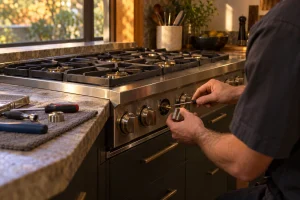
A burner that will not spark, clicks nonstop or burns with a ragged flame deserves a proper look. We repair DCS gas…
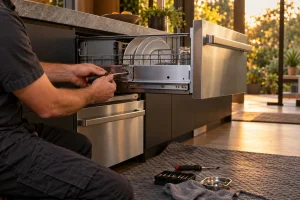
Drain, leak, lid and fill faults on DCS DishDrawer units and the 24-inch dishwasher, diagnosed before repair, with a written estimate for…
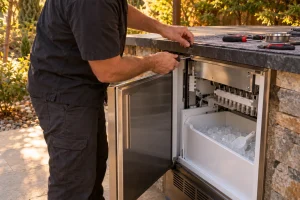
Repair for DCS outdoor ice makers in San Francisco and the Bay Area: no ice, slow ice, flashing lights and water line…
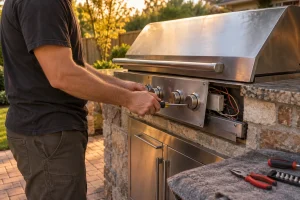
Diagnosis and repair for DCS built-in and freestanding gas grills across San Francisco and the Bay Area, from ignition faults to uneven…
Share a few details and we’ll confirm an appointment. Prefer to talk? Call us and we’ll help right away.