

Specialized DCS Appliance Repair in San Francisco
Mon–Sat: 8:00 AM – 7:00 PM
A model number saves time on every repair call. Here is where the label usually sits on DCS grills, refrigeration, ranges, ovens, hoods and more, and how to read it.
When you call about a DCS appliance, the first thing a technician wants is the model number. It decides which control board, igniter, sensor or latch applies, and it tells us what documentation to read before arriving. The label is a small silver or white sticker or plate, and manufacturers tuck it where it will not spoil the look of the kitchen. This guide walks through the usual locations, appliance by appliance, so you can find it in a couple of minutes.
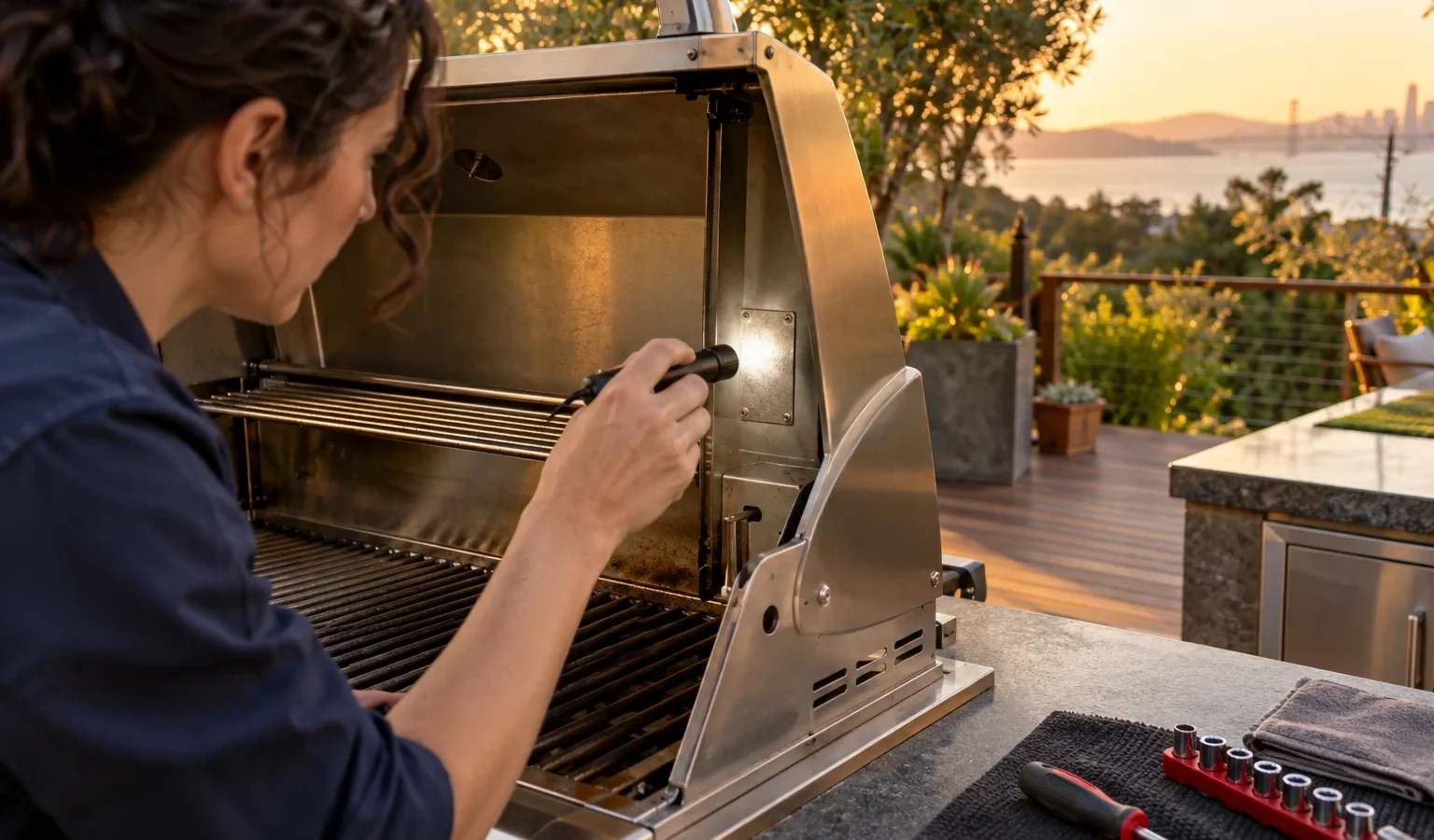
Switch off anything that is hot and wait until it has cooled. For gas appliances, make sure the burners and the supply valve are off before you reach near the controls. Take a phone with a flashlight, because labels are often in shaded corners. A photo of the label is the most useful thing you can send us, since it avoids transcription mistakes with look-alike characters such as zero and the letter O.
The wording on the label can vary, but you are looking for a line marked model, and sometimes a separate line marked serial. The model line is the one that matters first. Write down the whole thing, including dashes.
On a built-in grill, the label is usually under the control panel, on the firebox, or near the drip-tray area, depending on how the unit was installed. In an island, you may need to open the access door of the cabinet beneath and look up at the underside of the grill. On a freestanding grill, check around the frame near the cart or inside the cabinet door. Many of our grill models start with letters such as BE1 for Series 9 built-ins and BH1 for Series 7 built-ins, followed by the width in inches and a trailing letter for the fuel. You can see examples on the DCS outdoor grills page.
For outdoor refrigerators and ice makers, open the door and look at the inside wall, near the top or side. Some units place the label behind the kickplate at the bottom, so you may need to look through the grille at the base. Refrigerator drawers usually show it along the drawer front edge or on the frame once the drawer is pulled out. Models in this group are listed on the DCS refrigerators page, and ice makers have their own page at DCS ice makers.
On a professional range, the label is often on the frame behind the oven door or on the edge of the oven opening, and sometimes behind the storage drawer or kickplate at the bottom. For a cooktop, the plate is generally on the underside, which means it is visible only from the cabinet below in some installations. If you cannot reach it safely, a photo of the original box, an installation record or a manual will often carry the same number. Browse DCS ranges and DCS cooktops to compare how model names read.
Open the oven door and check the frame around the opening, on either side or along the top edge. Double ovens may carry a separate label for each cavity, so check both. For a built-in microwave, look on the door frame or on the inside wall of the cavity. The prefix tells you the style: WO for wall oven, for example. The DCS wall ovens and DCS microwaves pages show typical model names.
A DishDrawer usually has the label on the side or the edge of the drawer when you pull it open, or on the frame inside. For a ventilation hood, look inside the canopy near the filters; remove one filter and the plate is often visible on the wall of the housing. Downdraft vents may keep it near the base or on a service panel, which only a technician should open.
Outdoor appliances in San Francisco take a beating from fog, salt air and rain, and labels can fade or peel. If the print is worn, try shining a light across it at a low angle, which brings out raised characters. Take a photo and zoom in. If it is still unreadable, other sources can help: the original purchase paperwork, an installer’s note, a manual, or a stored photo of the appliance from when it was new. You can also describe what you have, such as the width, fuel type, number of burners or whether the refrigerator opens on the left or right, and we can narrow it down from that.
A few patterns are worth knowing. Grill names that start with BE1 are Series 9 built-in grills, and BH1 are Series 7. The number after it is the width in inches. A trailing L means propane (LPG), and N means natural gas. In outdoor refrigeration, RF24 points to the 24-inch family and RF15I to the 15-inch ice maker, where L and R at the end mark the hinge side. Ranges use letter groups such as RGS or RGT for gas and RDS, RDT or RDV2 for dual fuel. Do not guess beyond that; the full string matters.
Telling us the model before the visit helps us come prepared. It does not change the process, which is still diagnosis first, a written estimate and no work without your approval. To see how that fits into a repair, browse the main DCS grill repair, DCS refrigerator repair and DCS range repair pages, or the complete model library. If your appliance shows a code, our error code index lists what each one means.
Once you have found it, store it somewhere you will not lose it. A note on your phone beside a photo of the label works well. If you manage rental units or several properties, keep a short list with the address, appliance and number. The next time something stops working, the information is ready and the call to book takes a minute.
No. The model number identifies the type of appliance, while the serial number identifies your individual unit. Both may be printed on the same label. Start by reading out the model number.
Almost always. Labels sit on door frames, inside walls, under panels or behind kickplates that you can reach without pulling the unit from its opening. Never slide a gas appliance out on your own.
Open the cabinet door below the grill and use a flashlight to look at the underside. If the label is still out of view, a photo of the grill’s front panel and a note of its width and fuel type will help us identify it.
Not strictly, but it speeds up the diagnosis. If you cannot find it, tell us the appliance type, width, fuel and any code shown, and we will work from there.
The prefix usually encodes the type of appliance, such as a grill, refrigerator, oven or range. Digits that follow often carry the size, and a final letter can show the fuel or hinge side. Always give us the whole string.
Share a few details and we’ll confirm an appointment. Prefer to talk? Call us and we’ll help right away.