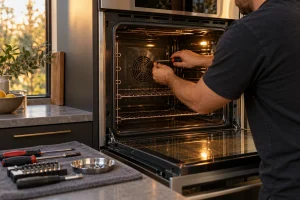
DCS Wall Oven A1 Error Code
A1 tells you a DCS WODV230 / WOSV230 wall oven overheated, paused its functions and beeped five times.

Specialized DCS Appliance Repair in San Francisco
Mon–Sat: 8:00 AM – 7:00 PM
The WODV230 has documented alert codes for overheating and for the door lock during self-clean.

The WODV230 is a DCS Professional wall oven, and it is one of the few models on our list with alert codes covered. If your display shows an A-code, you can look up what it means before you call.
This model falls under our DCS wall oven repair service, with family-wide background in the DCS wall ovens overview.
Three alerts are documented for the WODV230, and each points to a different area:
A fault shown as the letter F followed by a number is a technical fault, and the individual numbers are not defined, so write the full code down for the technician. The F-number page explains how to note it. The post on a wall oven fault code adds context.
An overheat alert is the oven protecting itself. Switch it off, leave the door closed, and let the cavity cool fully. Afterward, check that nothing is blocking the area around the oven and that the cooling air path in the cabinet is not packed with stored items. If A1 returns on the next use, a technician looks at the cooling fan, the temperature sensor and the control board rather than resetting it repeatedly.
Self-clean locks the door by design, and the latch mechanism works hard during that cycle. When the door will not lock or will not release, do not force the handle. Let the oven cool, make sure the door is seated squarely and the gasket is not caught, then try one controlled power reset at the breaker. A repeat of the code points toward the latch motor or its switch.
Wall ovens sit in tight cut-outs, and heat that cannot escape behind the unit is a classic reason for overheat alerts. A shared circuit can also cause strange behavior. Bay Area kitchens with open shelving directly above or below the oven are worth a quick look for blocked ventilation.
Where the model label usually sits on the oven frame, we confirm WODV230 before ordering any part. We diagnose, give you a written estimate, and carry out nothing without your approval.
Stop using the oven if the A1 alert keeps coming back, if the door will not release after cleaning, or if the cabinet around it feels hot to the touch. Turn the breaker off and keep the oven closed. Running a unit that is already protecting itself from heat only shortens the life of its electronics, and a door that is stuck shut can trap a cook in the middle of a meal. Contact us with the code, and mention how long the previous cycle ran before the alert appeared.
Not always. It means the oven overheated and stopped. Cooling and clear airflow sometimes resolve it, but a repeat needs a technician.
Wait until the oven is cool and try a reset first. If the code returns, stop using self-clean and book a diagnosis.
It is usually on the oven frame with the door open. A photo of it helps us prepare.
Write down the whole code and book a visit. The F number alone is not enough to name the part.
Model-information disclaimer. Confirm your exact model number and specifications with your appliance documentation before booking a repair. Model pages are for identification and compatibility reference.
Oven not heating, temperature off, door locked after self-clean or a code on the display? We repair DCS single and double wall…
Share a few details and we’ll confirm an appointment. Prefer to talk? Call us and we’ll help right away.