

Specialized DCS Appliance Repair in San Francisco
Mon–Sat: 8:00 AM – 7:00 PM
A DCS gas range that will not stop ticking is telling you the igniter circuit keeps firing. Here is what usually causes it and which checks are safe to do yourself.
A professional-style gas range makes a quick ticking noise for a second or two whenever you turn a knob to light. That is normal. What is not normal is a clicking that keeps going after the burner has lit, or that starts on its own while nothing is turned on. In a Bay Area kitchen it often shows up the morning after a stretch of damp, foggy weather, or right after a pot boiled over on the cooktop.
Each burner on a DCS gas range has a spark electrode beside it. When you turn the knob, a spark module sends a rapid train of high-voltage sparks to that electrode so the gas ignites. The module is supposed to stop sparking once the flame is established. Continuous clicking means the module either never sees that a flame exists, or it is being told by a stuck switch that a knob is still turned. Either way, the sparks are simply repeating the same job over and over.
Because the burners on a range share one spark module, a single trouble spot can make every electrode tick together, or only the one you are cooking on. Note which pattern you have, because it narrows the search quickly.
Work in this order and stop at the first step that fixes it.
If you flip the range off at the breaker and the ticking stops, wait a few moments and restore the power once. A single controlled reset sometimes clears a confused module. If the clicking returns, leave the breaker off and book a visit rather than living with a noisy range.
Do not pull the knobs off and spray contact cleaner into the switches, and do not scrape the electrode with a metal pick. Never lift the cooktop or take off back panels to look at the module. The spark circuit carries a harsh voltage, and the gas connections sit close by. Do not keep lighting burners with a match while the sparking continues; a burner that has been trying to light can hold unburned gas.
If you smell gas at any point, leave the kitchen, touch no switches, and call the gas utility or 911 from outside.
DCS ranges have changed over the years. Older gas models such as the discontinued RGS-305 and dual-fuel models like the RDT-305 use different burner assemblies and igniter layouts, so the parts a technician brings depend on the exact label. The label is usually on the oven frame or inside the door opening. Read it out when you book, or have a photo ready. Our DCS range guide shows the lineup and where labels tend to sit.
The technician reproduces the clicking, then isolates which burner or switch triggers it. Electrodes are checked for cracks and residue, the cap and head alignment is confirmed, and the knob switches are tested against the module. Only then does the discussion turn to parts. You get a written estimate before any repair starts, and nothing is replaced without your approval. Details on the full process are on the DCS range repair page.
Stop cooking on a burner that sparks without lighting, one that lights with a ragged yellow flame, or any burner whose clicking returns the moment you wipe it dry. Use the oven or another appliance until the visit. A range that clicks all day is also draining the module, so it is worth sorting out soon rather than waiting for the sparking to turn into a burner that will not light at all.
If a burner will not light at all, the related symptom is covered in our guide to a range burner not igniting.
The sparking itself is not a hazard, but a burner that sparks without lighting can release gas. Turn the knobs off, ventilate, and do not use a match. If you smell gas, leave and call from outside.
Damp air can leave a thin film on the electrode ceramic, which lets the spark leak away instead of lighting the gas. Drying the area often calms it, but repeated episodes point to a worn electrode or module.
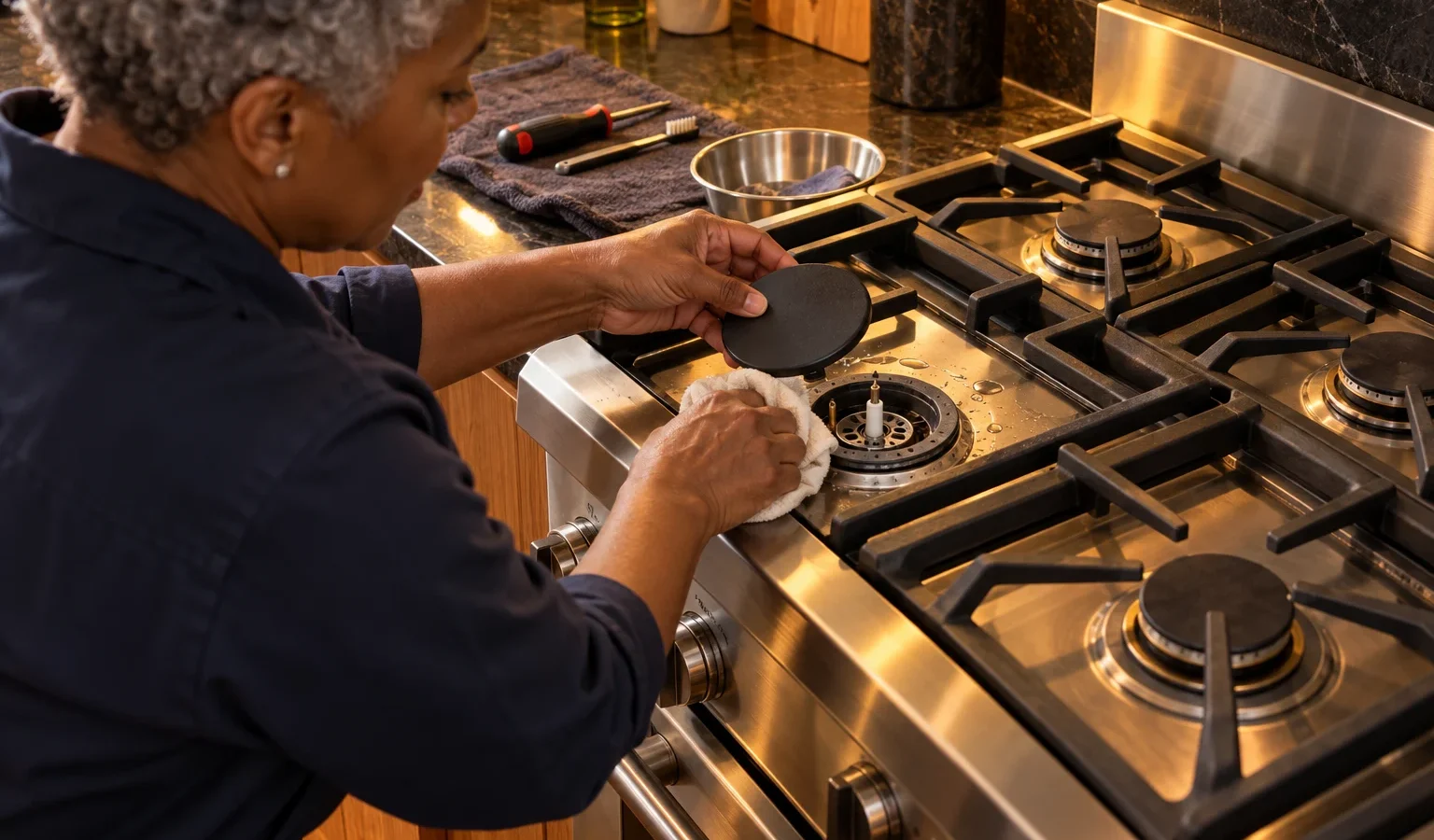
Wiping spills from around the burner base and reseating the caps fixes many cases. Heavy carbon on the electrode or a stuck knob switch needs a technician, because reaching them means opening the cooktop.
If the clicking only comes from the cooktop and you smell no gas, the oven is usually fine to use. If sparking continues with all knobs off, switch the range off at the breaker until it is checked.
Give the model number, which burners click, whether it happens with the knobs off, and whether the sound stops at the breaker. That lets the technician arrive with the right parts.
Share a few details and we’ll confirm an appointment. Prefer to talk? Call us and we’ll help right away.